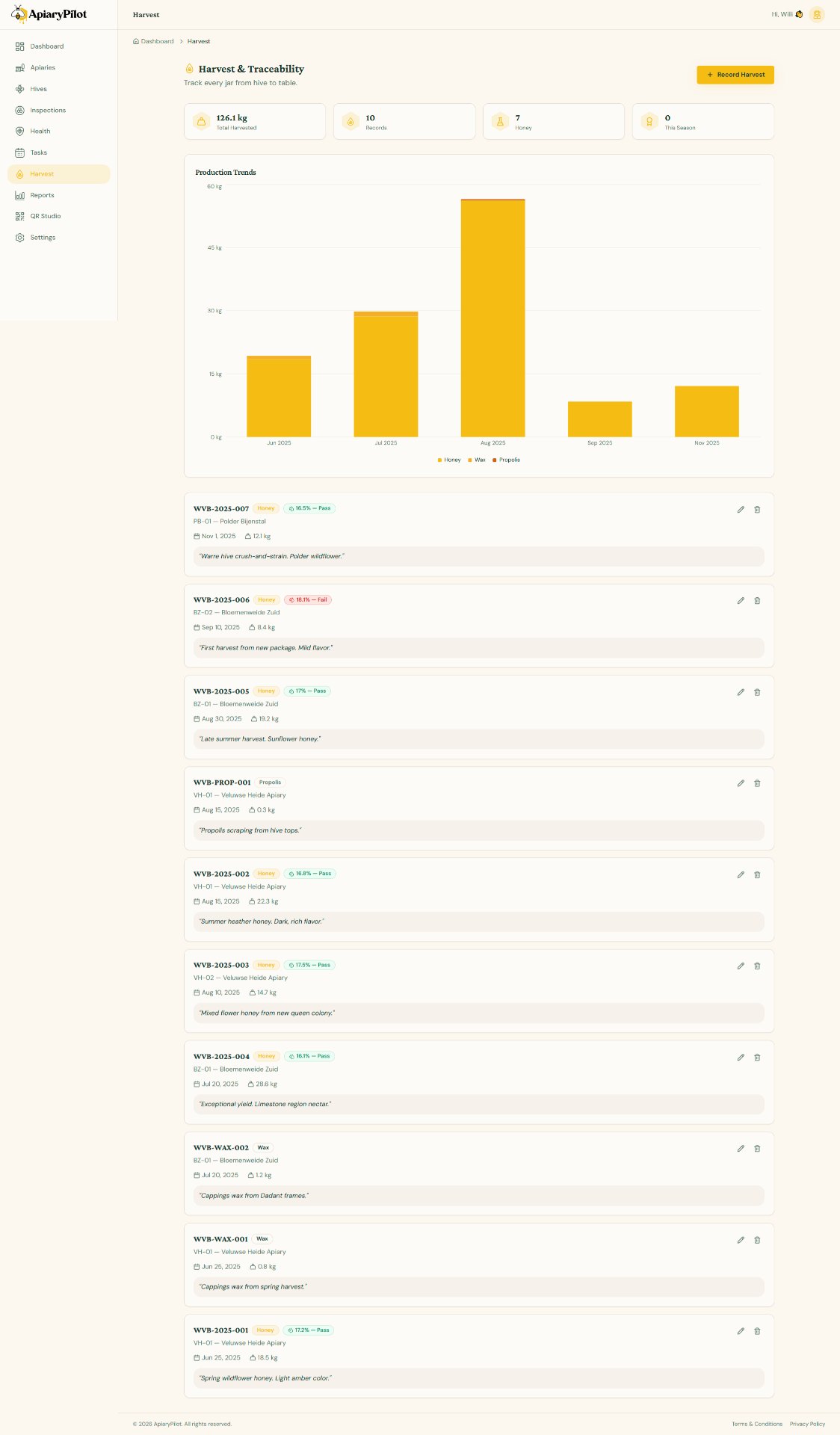
Recording Harvests
Keep accurate records of every harvest to track production and maintain quality standards.
Adding a Harvest Record
- Navigate to Harvest from the sidebar
- Click Add Harvest
- Fill in the details:
| Field | Description |
|---|---|
| Hive | Which hive was harvested |
| Date | Harvest date |
| Weight (kg) | Total honey weight |
| Harvest Type | Honey, wax, propolis, pollen, etc. |
| Moisture Content | Percentage (aim for under 18.6%) |
| Batch Number | For traceability |
| Notes | Additional details |
Harvest Charts
The Harvest page includes interactive charts showing:
- Monthly production — Bar chart of harvest weights over time
- Per-hive comparison — See which hives are top producers
- Yearly totals — Compare season-over-season production
Quality Tracking
Moisture content is a key quality indicator for honey. ApiaryPilot will alert you if a harvest exceeds your configured moisture threshold (default: 18.6%).
Tip: Set your preferred weight unit (kg or lbs) in Settings → Preferences.