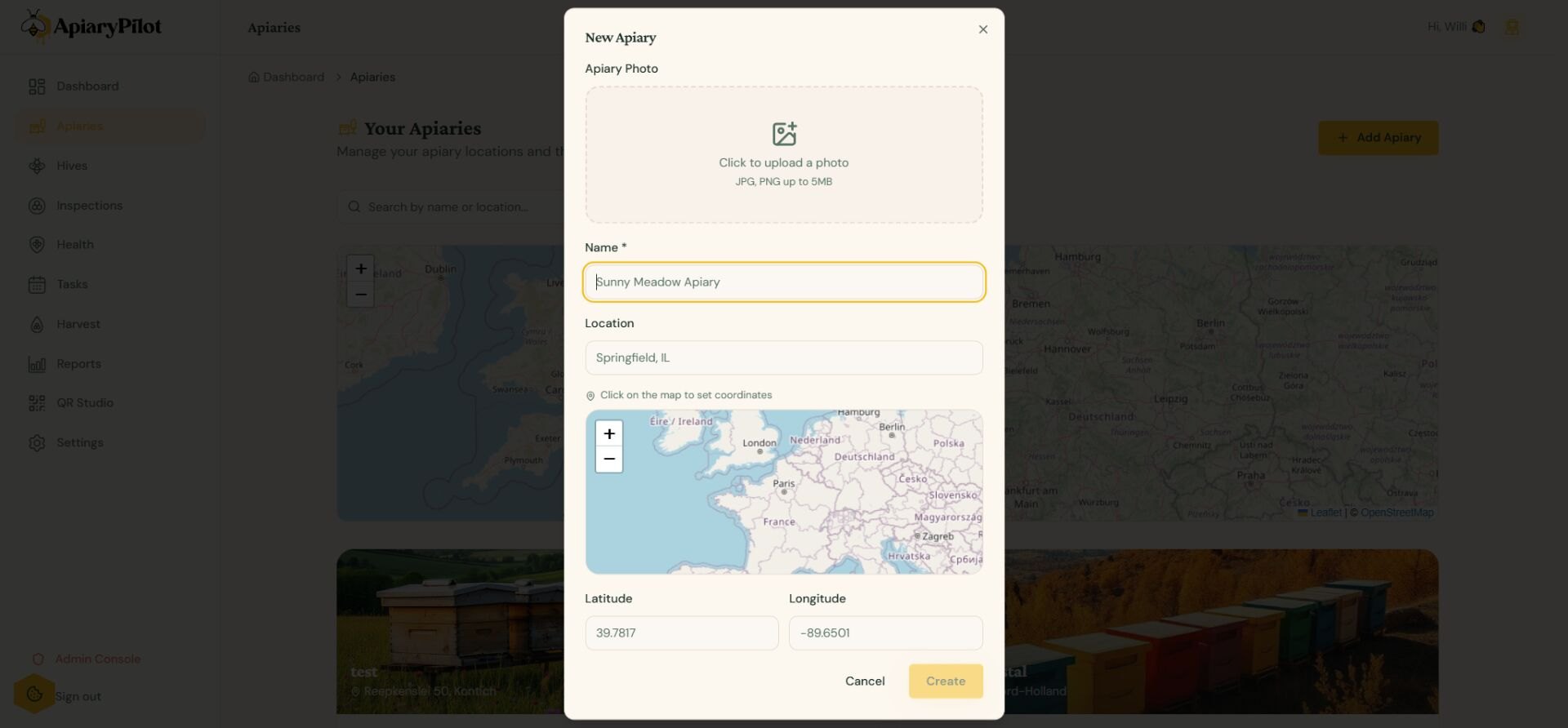
Creating an Apiary
An apiary represents a physical location where you keep your beehives. You can create multiple apiaries to organize hives across different sites.
Adding a New Apiary
- Navigate to Apiaries from the sidebar
- Click Add Apiary
- Fill in the details:
- Name — A descriptive name (e.g., "Mountain Meadow")
- Location — Address or description
- Coordinates — Click on the map or enter latitude/longitude manually
- Photo — Upload a photo of your apiary site
Map View
Each apiary appears as a pin on the interactive map. Click any pin to see a quick summary including:
- Number of hives
- Last inspection date
- Current weather conditions
Managing Apiaries
From the apiary detail page you can:
- Edit the apiary name, location, and photo
- View all hives at this location
- Check weather data and forecasts
- Log forage conditions