Export History
The Export History tab on the Export page keeps a permanent record of every report you've generated, so you never have to recreate the same export twice.
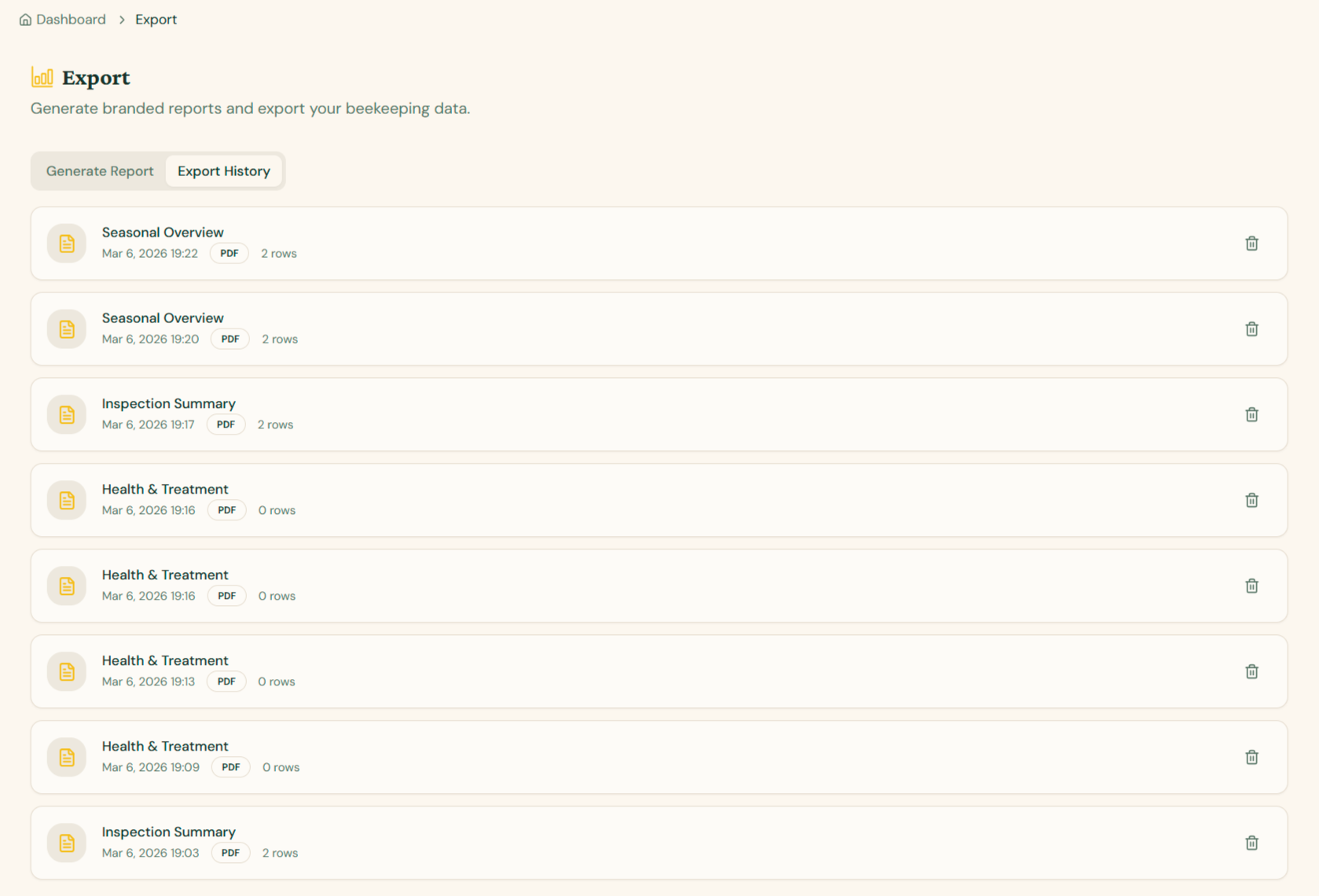
What you'll find here
Each entry in the list shows:
- Report type — e.g. Inspection Summary, Health & Treatment, Seasonal Overview
- Date and time the export was generated
- Format badge — PDF or CSV
- Row count — how many records were included in the export
Actions
- Re-download an export by clicking the entry — useful when you need to share an older snapshot or restore a deleted file.
- Delete an export with the trash icon on the right. This removes it from your history but does not affect the underlying beekeeping data.
Why use Export History?
- Audit trail — keep a timeline of reports for inspections, certifications, or accounting.
- Quick re-share — re-send a report to a vet, buyer, or team member without regenerating it.
- Compare snapshots — download the same report type from different dates to see how your apiary has evolved.
Tip: Export History is scoped to your organization, so all team members with access to reports can see the shared history.