Reporting & Metrics
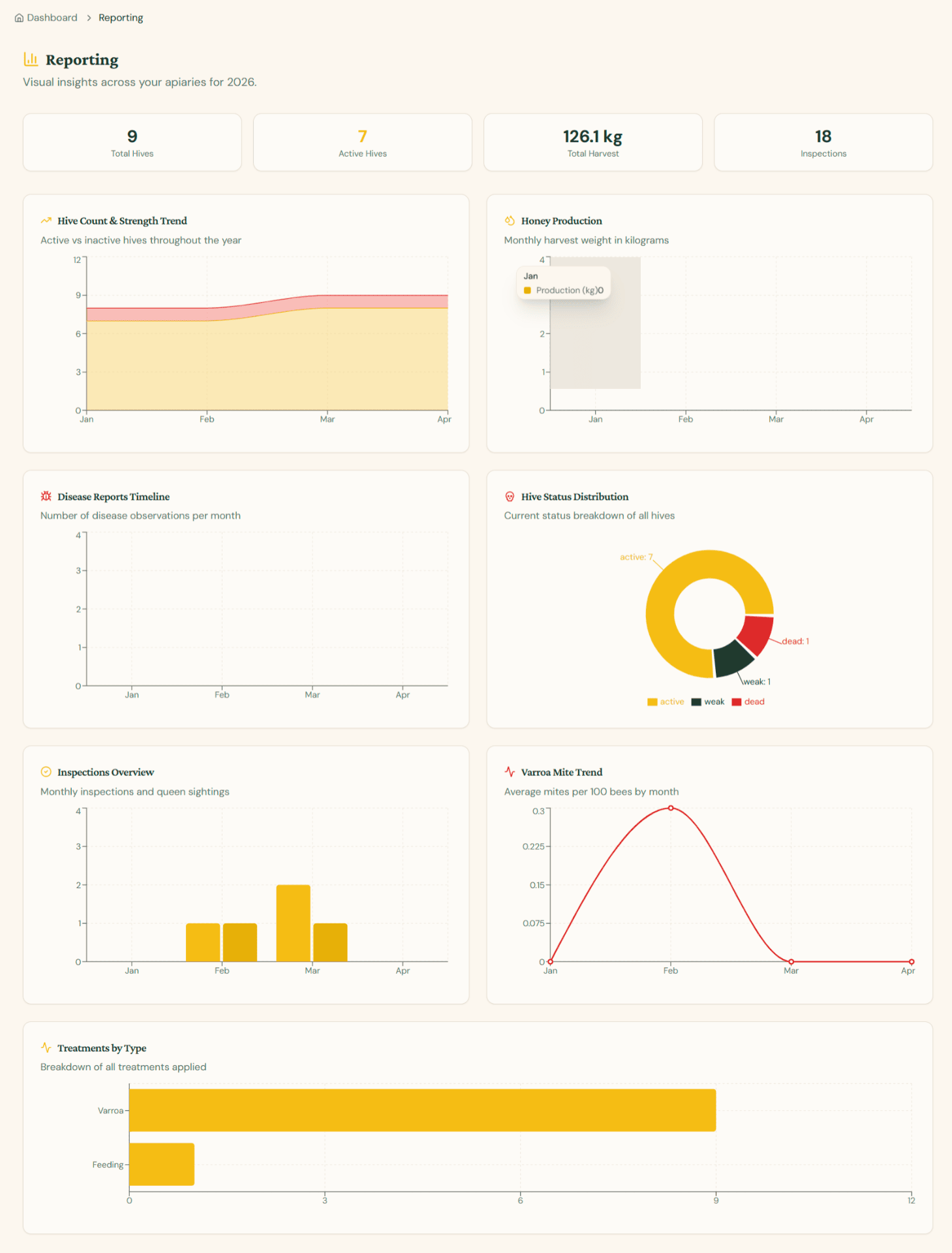
The Reporting page (/app/reporting) gives you a year-to-date visual overview of your entire operation in one place. It pulls live data from every apiary, hive, inspection, harvest, mite count, and treatment so you can spot trends at a glance — no exports required.
KPI tiles
Across the top of the page you'll find four headline numbers that summarise the current year:
- Total Hives — every hive on record across all your apiaries, regardless of status.
- Active Hives — hives currently flagged as active (excludes weak, dead, or archived).
- Total Harvest — combined honey weight (kg) harvested year-to-date.
- Inspections — number of inspections logged this year.
Hive Count & Strength Trend
A stacked area chart showing active vs inactive hives throughout the year. Each month, the lower (yellow) band represents healthy active colonies and the upper (red) band represents weak or dead colonies. Use this to:
- Spot seasonal die-offs or sudden drops in colony strength
- Verify that recovery efforts are bringing inactive hives back online
- Communicate flock health to buyers, vets, or partners at a glance
Honey Production
A bar chart of monthly harvest weight in kilograms. Hovering a bar reveals the exact production for that month. This chart helps you:
- Identify your peak nectar-flow months
- Compare year-on-year output (re-visit the page next season)
- Plan harvest logistics around historical patterns
Disease Reports Timeline
A line chart of disease observations per month based on entries from your inspection logs. Empty months mean no disease was recorded. Use this to:
- Detect emerging outbreaks early
- Correlate disease spikes with weather events or treatments
- Demonstrate proactive monitoring during certifications
Hive Status Distribution
A doughnut chart showing the current status breakdown of all hives — active, weak, and dead. Each segment is annotated with the exact count, and the legend below maps colours to statuses. This is the fastest way to answer the question "How is my apiary doing right now?".
Inspections Overview
A bar chart of monthly inspections and queen sightings. Tall bars indicate months with intensive fieldwork. Use this to:
- Verify you're inspecting often enough during the active season
- Identify gaps in your inspection cadence
- Justify time spent for record-keeping or compliance
Varroa Mite Trend
A line chart of average mites per 100 bees by month, calculated from all your mite-count entries. The treatment threshold (3.0%) is the key reference — sustained values above it indicate intervention is needed. Use this to:
- Track the effectiveness of treatments over time
- Predict when the next sampling round is due
- Build evidence of integrated pest management
Treatments by Type
A horizontal bar chart showing the breakdown of all treatments applied (e.g. Varroa, Feeding). The bar length represents the number of treatments of each type. Use this to:
- Review your treatment mix at a glance
- Spot over-reliance on a single product or method
- Plan inventory orders for the next season
Tip: All charts on the Reporting page update automatically as you log inspections, harvests, mite counts, and treatments. There's nothing to refresh — just keep your records up to date and the dashboard stays accurate.