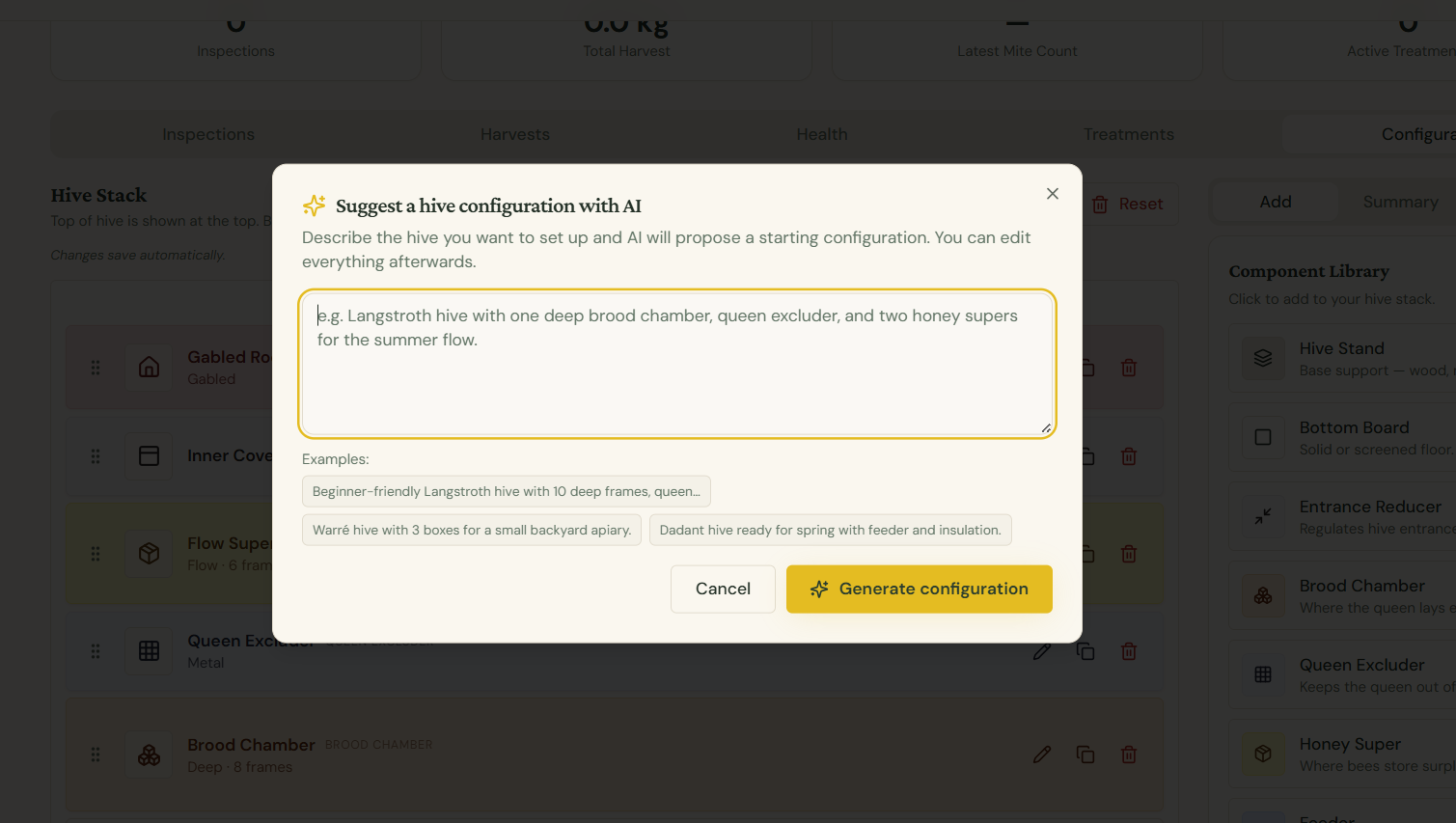
AI Hive Configurator
The AI Hive Configurator suggests a complete, season-appropriate hive stack — from bottom board to roof — based on your apiary location, climate, hive type, and current colony strength.
How to use it
- Open any hive's Configurator tab
- Click Suggest with AI at the top of the page
- Review the proposed stack — components, frame counts, materials, and seasonal extras
- Accept the suggestion to load it into the configurator, or tweak individual components before saving
What the AI considers
- Hive type — Langstroth, Warré, Dadant, Flow, Top Bar, or custom
- Location & climate — adjusts for cold winters, humid summers, or dry climates
- Season — adds insulation layers in winter, supers in nectar flow, entrance reducers in autumn
- Colony strength — suggests deeper brood configurations for strong colonies, smaller setups for nucs
- Existing components — uses what you've already added as a starting point
Tips for better suggestions
- Set your apiary's correct location and altitude in Apiary settings
- Keep the hive's status and hive type up to date
- Run the suggestion at the start of each major season (spring build-up, nectar flow, winter prep)
Plan availability
AI Hive Configurator is included with Starter, Team, and Commercial plans.
Tip: AI suggestions are a starting point, not a final answer. Always cross-check against your own observations and local beekeeping practice.